All document reader for Android:Every document,
one tap away.
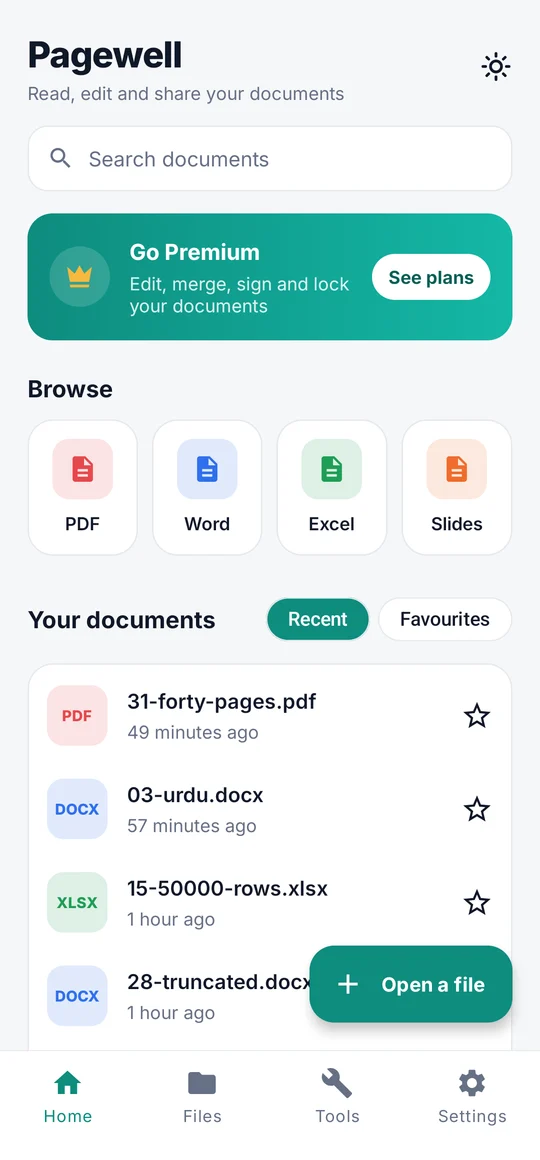
Pagewell opens the PDF, Word, Excel and PowerPoint files you're sent, right on your phone. Then sign, edit, merge, compress or lock them, without an account and without sending them anywhere.
- Word
- Excel
- PowerPoint
- TXT
- No ads while you read
- No account
- Works offline
- Files stay on your phone
One reader
Opens what you're sent.
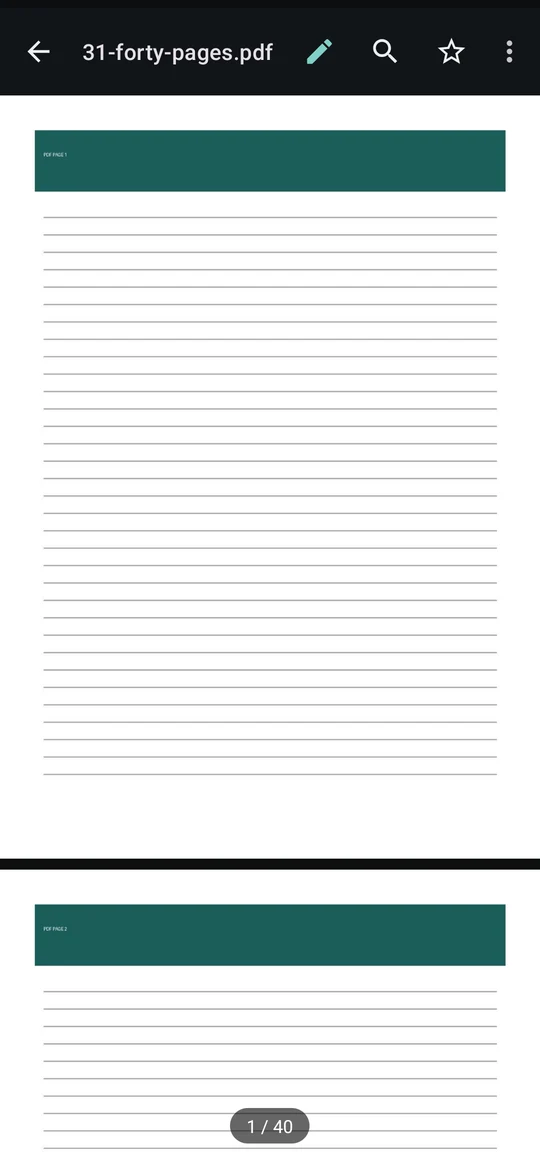
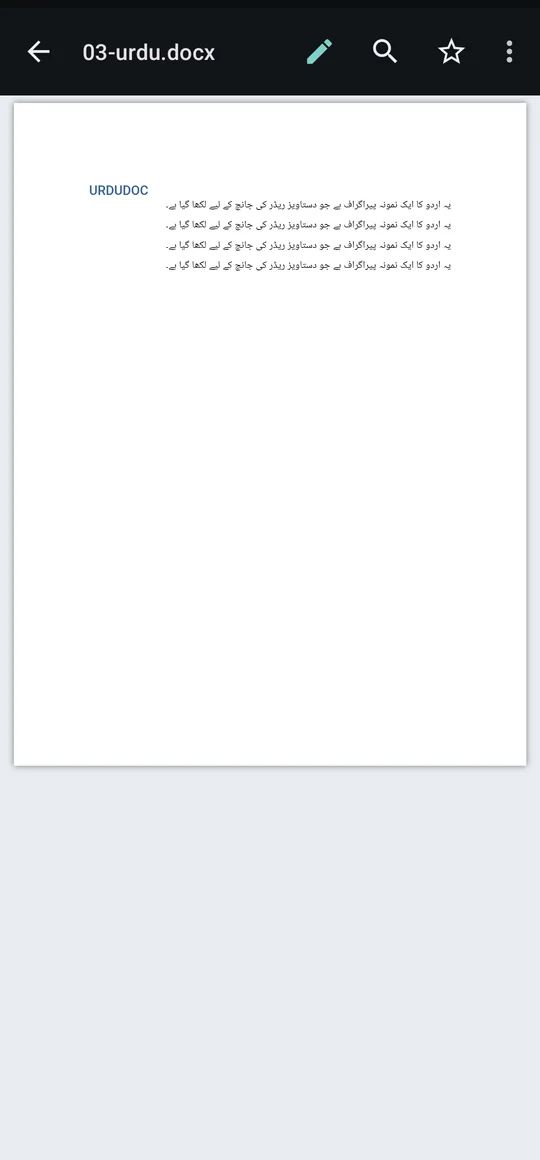
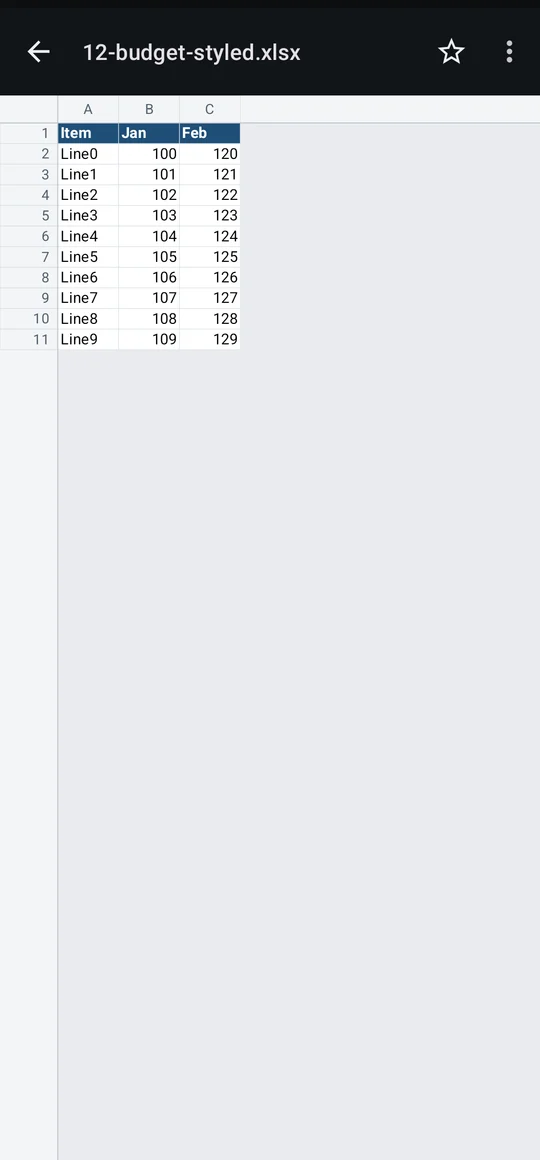
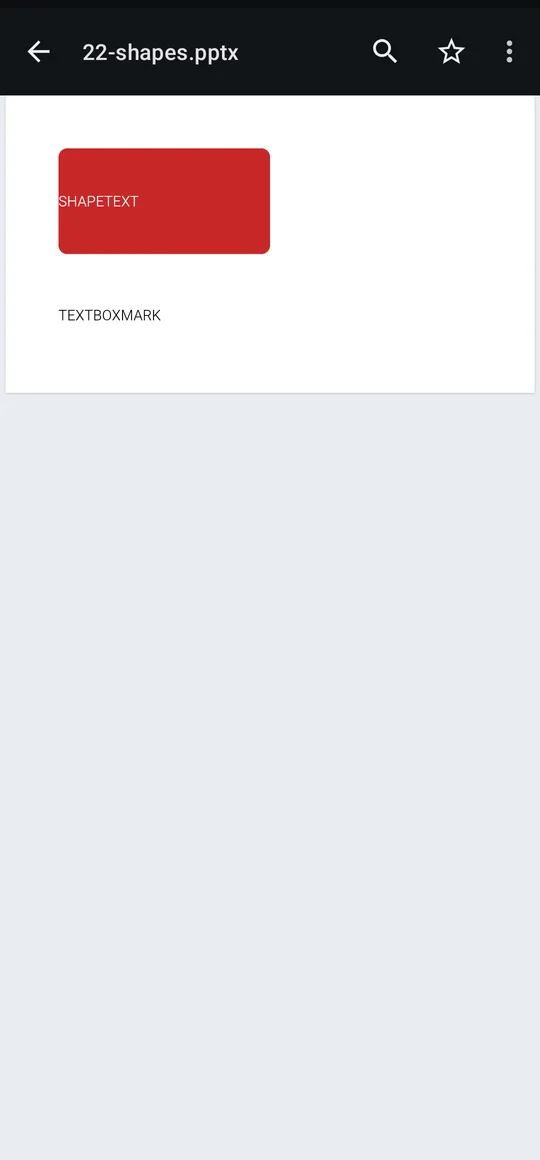
Invoices, CVs, reports and slide decks look like themselves: real pages, tables, pictures and right-to-left text such as Urdu and Arabic.
- Word
- Excel
- PowerPoint
How it works
Tap, read, done.
No account to make and nothing to set up.
Tap any document
In WhatsApp, Gmail or Files, tap a PDF, Word, Excel or PowerPoint file and pick Pagewell. Tap Always and it opens there every time.
Read it properly
Pages fit your screen. Pinch to zoom, jump to a page, search the text, or switch on night reading for PDFs.
Edit and share
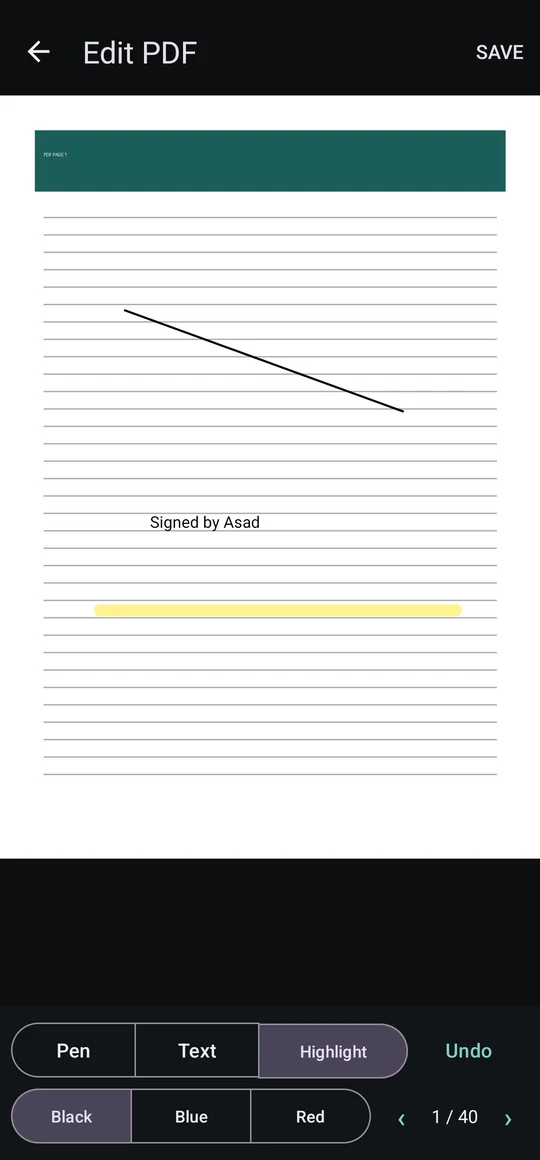
Write, sign or highlight on a PDF, fix the text of a Word file, then share it or find it in Downloads/Pagewell.
Features
A reader that gets out of the way.
Everything you need to read comfortably is free.
Every common format
PDF, Word (.docx), Excel (.xlsx and .xls), PowerPoint (.pptx) and text files, all in one app.
Search inside
Find a word in a PDF, Word file or slide deck and jump from match to match.
Light, dark and night reading
Switch the whole app between light and dark in one tap, and turn PDF pages dark for reading at night.
Locked PDFs too
Open password-protected PDFs by typing the password. Pagewell never stores it.
Recent and favourites
Everything you opened is on Home. Star the files you come back to.
Share and print
Send a document to any app, or print it through Android's own printing.
Tools
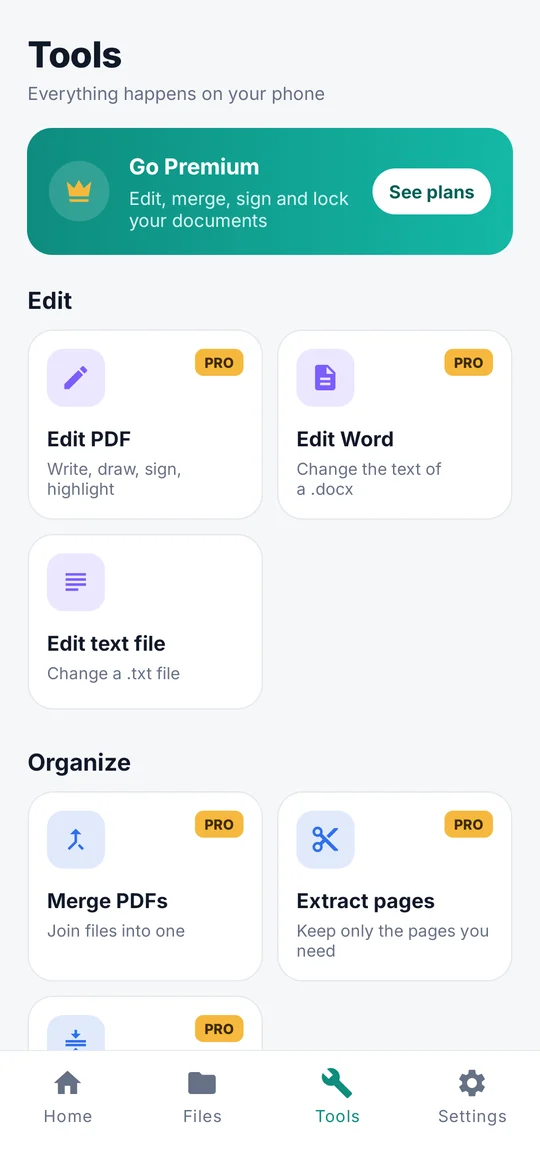
Change a document, not just read it.
Every result is saved as a new file in Downloads/Pagewell, so the original is never touched.
Edit
- Edit PDF: write, draw, sign, highlight
- Edit the text of Word files
- Edit text files
Organize
- Merge PDFs into one
- Extract the pages you need
- Compress a PDF to send it
Protect
- Lock a PDF with a password
- Remove a password you know
Convert
- PDF to text
- Images to PDF
Free and Pro
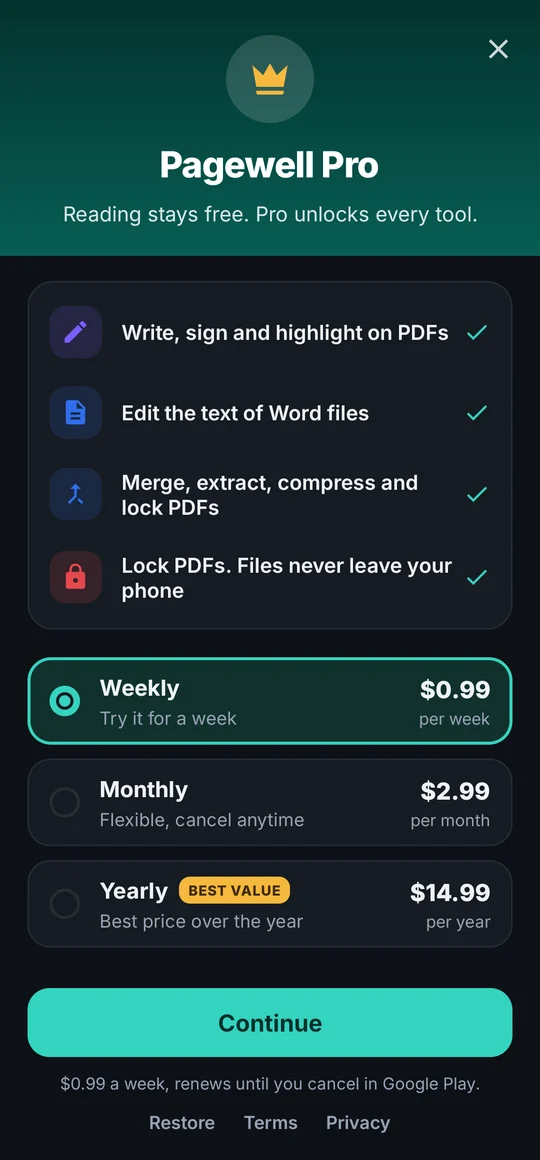
Reading is free. Pro unlocks every tool.
Try each Pro tool once for free. Pro is optional, through Google Play: weekly, monthly or yearly, and the yearly plan can start with a free trial.
Free
Everything you need to read and share.
- Open PDF, Word, Excel, PowerPoint and text files
- Open with Pagewell from any app
- Search, zoom, go to page, night reading
- Recent files, favourites and the Files tab
- Share, print, edit text files, remove a PDF password
Pagewell Pro
PROWeekly, monthly or yearly.
- Edit PDFs: write, sign and highlight
- Edit the text of Word files
- Merge, extract and compress PDFs
- Lock PDFs with a password
- PDF to text and images to PDF
Priced in your local currency in the app. Cancel any time in Google Play. Restore Pro on a new phone with the same Google account.
Privacy
Your documents stay yours.
Contracts, bank statements and IDs deserve care. Pagewell reads them on your phone and keeps them there.
Read on your phone
Every document is opened and drawn on your device. There is no account and no Pagewell server to upload it to.
Viewers kept offline
The built-in Word, PowerPoint and Excel viewers are not allowed to reach the internet, so a file can't phone home while you read.
Originals untouched
Tools and editors save a new copy in Downloads/Pagewell. The file you opened is never changed.
Nothing personal sent
Anonymous usage statistics never include a document, its name, what you type or what you search for.
FAQ
Questions, answered.
Is Pagewell free?
Yes. Opening and reading PDF, Word, Excel, PowerPoint and text files is free, with no ads while you read. Pagewell Pro is optional, weekly, monthly or yearly, and unlocks the editing and PDF tools. Every Pro tool can be tried once for free, and the yearly plan can start with a free trial from Google Play.
Does Pagewell upload my documents?
No. Documents are read and drawn on your phone, and the built-in viewers are not allowed to reach the internet. Pagewell has no account and no server of its own. Files leave your phone only when you share or print them yourself.
How do I make Pagewell open my documents?
Tap a document in WhatsApp, Gmail, Files or any other app, choose Pagewell in the list, and tap Always. From then on that kind of file opens straight in Pagewell.
Can I edit documents?
Yes, with Pro. Edit PDF lets you write text, draw, sign and highlight on any page. Edit Word changes the text of a .docx file, paragraph by paragraph. Results are saved as a new file in Downloads/Pagewell, so the original stays as it was. Text files can be edited for free.
Which files can't it open?
Old Office formats from before 2007, .doc and .ppt, are not supported yet; Pagewell says so clearly when you try. Charts and pictures inside Excel sheets are not drawn.
Does it work offline?
Yes. Reading, searching and every tool work without a connection. You only need the internet to buy or restore Pagewell Pro through Google Play.
Which phones does Pagewell work on?
Android phones and tablets running Android 9 or later.
Open your next document in Pagewell.
Free on Android 9 and later. No ads while you read, no account.
Want to know when it's out? Email info@truetechsol.org.